


The Velova™ Memory Scanner
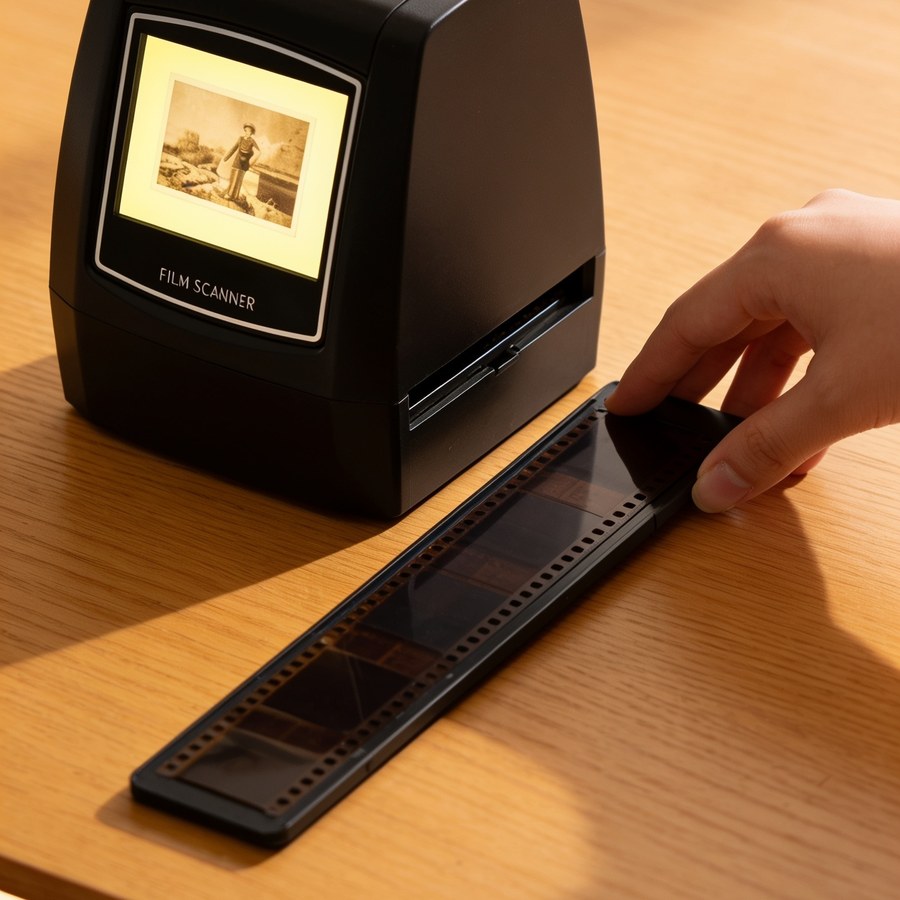
- The photo appears before your eyes on the built-in screen
- One button, 3 seconds per photo · no computer needed
- Large-print guide in English by email · 30-day money-back guarantee
The silent problem
Somewhere in your home, there’s a box.
And it’s fading.
The wedding, that holiday in 1978, the children’s first steps. Every year, the colours on those films fade a little more. It’s chemical, and it can’t be undone.
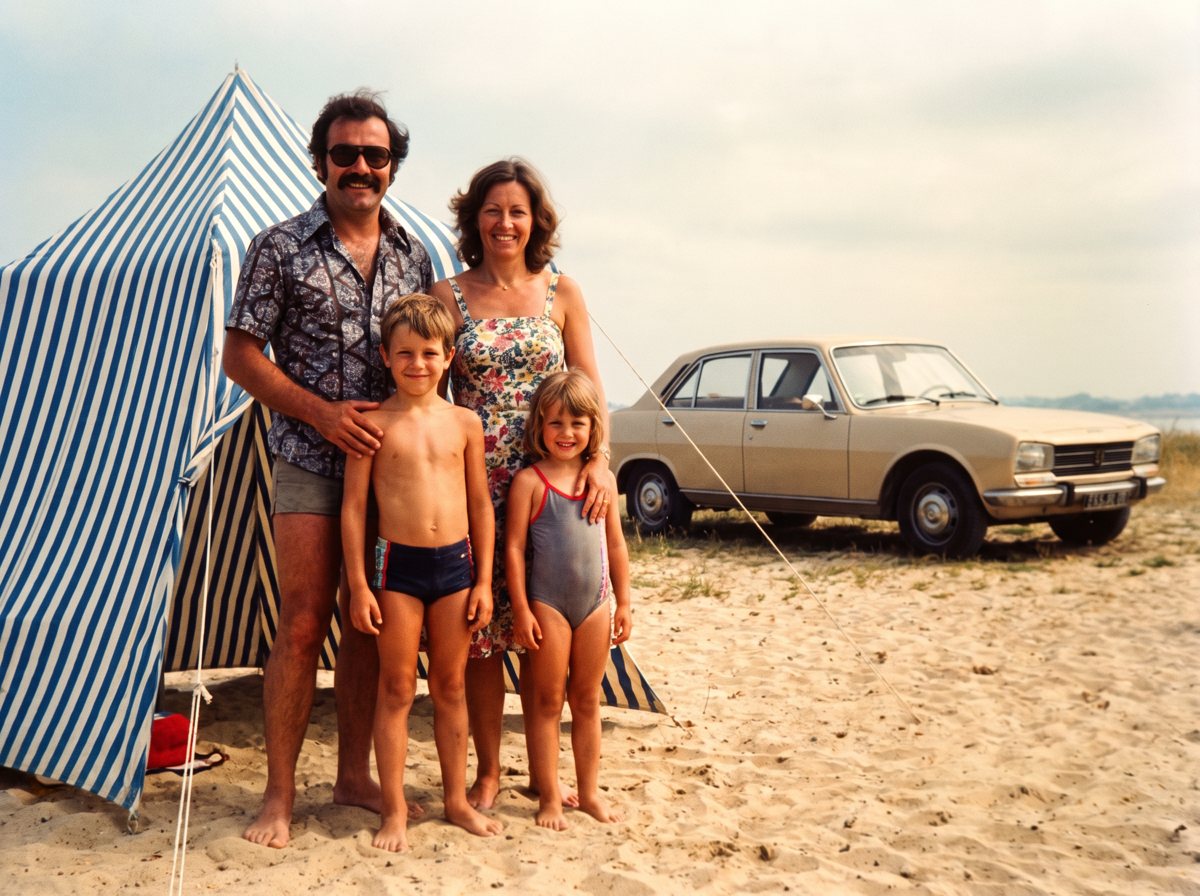 After the scanner
Your slide today
Drag the slider to the left: the slide as it is today. To the right: the photo as the scanner brings it back, with its colours revived automatically.
Made for families, not for photographers
If you can switch on a TV,
you can use it
 No computer neededEverything happens on the scanner itself, from the first step to the last. Many of our customers don’t have a computer.
 One button, 3 secondsNo settings, no menus, no software. A box of slides is saved over a cup of tea.
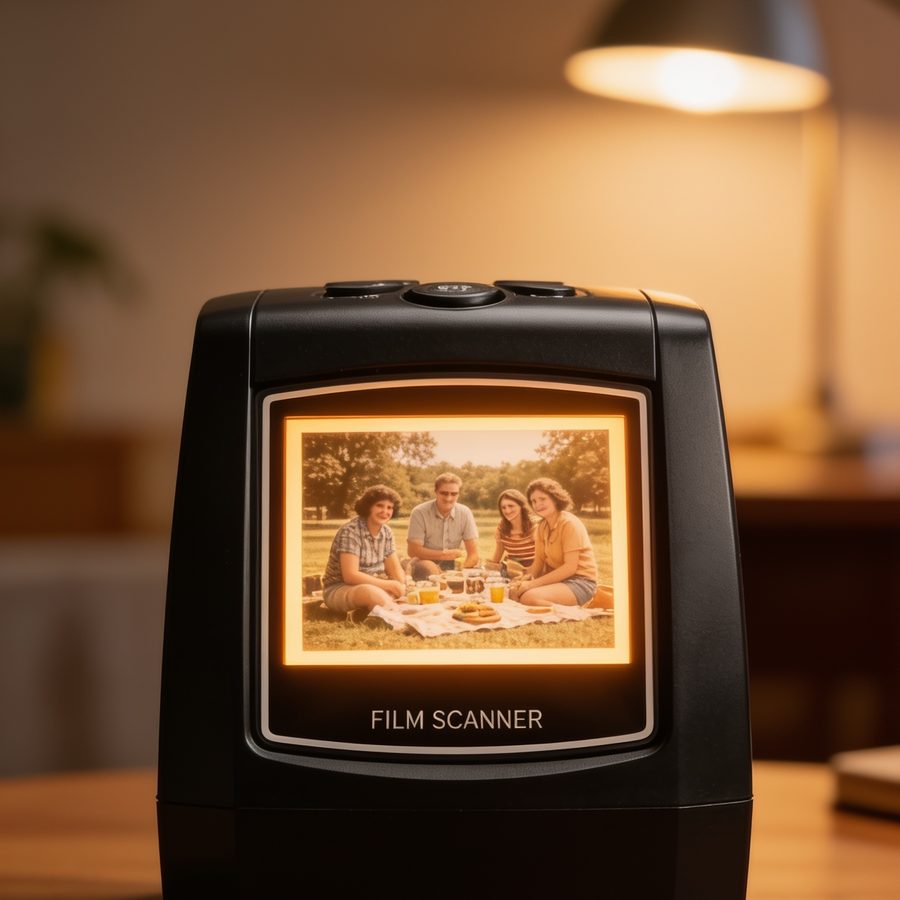
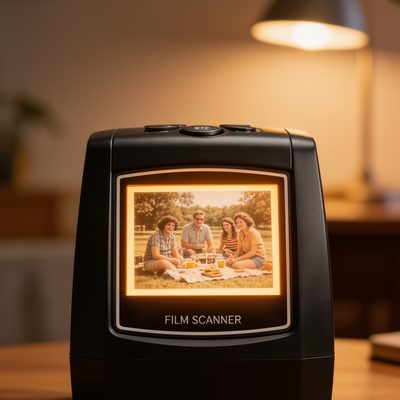 The photo appears before your eyesThe built-in screen shows you every picture before it’s saved. No nasty surprises.
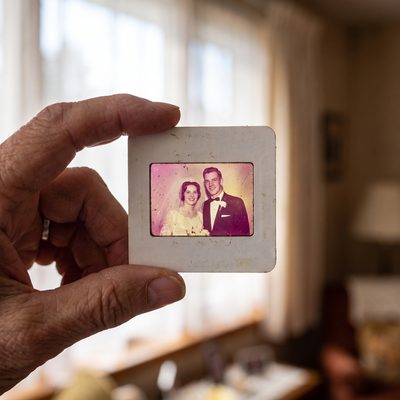 Faded colours come backAutomatic correction revives washed-out colours, without you having to adjust a thing.
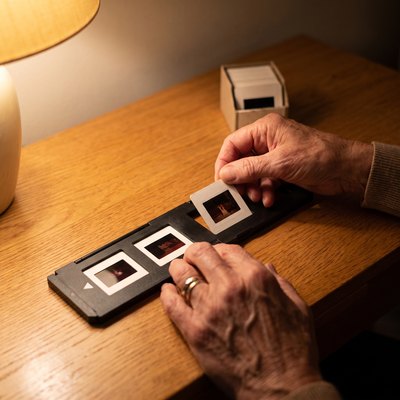 Your originals stay at homeNothing to post, nothing to hand over to a stranger. Your films never leave your living room.
 A large-print guide in EnglishEmailed with your order, written to be read without a magnifying glass, with clear diagrams. And help in English, 7 days a week.


Free tracked delivery · 30-day money-back guarantee · Secure payment
How it works
Load. Press. Relive.
Watch it in action: 8 seconds is all it takes to understand.
 1
Put the slide or negative in the holder, and the holder in the slot on the side. It guides the film in all by itself.
 2
One button. Three seconds. The colours are corrected automatically.
 3
The photo appears on the screen and is saved to the memory card. Then on to the next one.

What next? Connect the scanner to your TV with the cable supplied and enjoy them again as a family. The memory card can be read on a computer: send the photos to the children, or drop the card off at your photo shop for prints.
You don’t have to do it all at once. Ten tonight, ten on Sunday: the scanner will wait. There’s nothing to learn. There’s just a box of memories to open, and it’s yours.

In the box
Everything’s ready the moment you open it
- The Velova™ Memory Scanner, with built-in screen
- 35mm slide holder, 4 slides at a time
- 35mm negative holder, 6 frames at a time, no cutting
- USB cable (power and copying to a computer) and TV cable
- Cleaning brush
- The manufacturer’s illustrated manual
Your large-print guide in English is emailed with your order, along with the 3 free guides. As for the scanner’s menu, it’s in English.
Complete pack: a 32 GB SD memory card included (about 15,000 photos), ready to use. Family pack: two cards, one to keep and one to give away.
How it compares
To save your films,
you have 3 options
| Velova™ Scanner | Scanning by post | Phone apps | |
|---|---|---|---|
| Built-in screen, instant result | ✓ | ✕4 to 10 weeks | ✕ |
| No computer, no app | ✓ | ✕files on DVD or online | ✕app, account, settings |
| Originals protected: no posting, no handling | ✓ | ✕sent off in the post | ✕slide held up to the lens |
| Colours revived automatically | ✓ | ✕costs extra | ✕glare, blur |
| Unlimited high-resolution photos | ✓from €129.99 | ✕you pay for every photo | ✕pixelated pictures |
| 3 seconds per photo | ✓ | ✕4 to 10 weeks | ✕2 to 3 min |
| No technical skills needed | ✓ | ✕sort, pack, post | ✕ |
The average family has 800 to 2,000 slides. By post, expect €0.40 to €0.80 a slide, so €400 to €800 for a thousand photos, and your originals leave in a box. With the scanner, it’s unlimited, and everything stays at home.
Free tracked delivery · 30-day money-back guarantee · Secure payment
The question we’re asked most
“You can get one for about €60 on Amazon.
Why buy yours?”
It’s true, and it’s a question that deserves a real answer rather than a sales pitch. Four differences: open the ones that interest you.
01The advertised figure isn’t the real one
Scanners of this kind are advertised at 14 or 22 megapixels. Those figures come from software interpolation: the file is enlarged afterwards, and it doesn’t contain a single extra detail.
Our sensor is 2592 × 1944 pixels, which is 5 million real pixels, and that’s the figure we give you. Sharp on a TV, sharp on a computer, sharp in a 10 × 15 or 13 × 18 cm print.
A scanner that advertises 22 megapixels doesn’t give you four times as much. It just gives you a number.
02Everything’s in the box, the moment you open it
The slide holder and the negative holder: both of them, not just one. The cleaning brush. The TV cable. And your large-print illustrated guide in English, emailed with your order and written to be read without a magnifying glass.
The Complete and Family packs already include the memory card. Nothing extra to order before you can start.
03Someone answers, in English, 7 days a week
If you get stuck on the very first slide, you write to contact@velova.fr and a person writes back to you. Not a form, not a translated automatic reply.
It’s the kind of detail nobody thinks about while everything works, and the only thing that matters the day something goes wrong.
04Nothing to pay on delivery, and 30 days to change your mind
Delivery is tracked and free, and duties and taxes are on us: the postman won’t ask you for anything. And you have 30 days to judge it on your own slides, with no reason needed.
When you order direct from abroad, neither of these is ever a given.
Let’s be clear: if you’re comfortable with electronics and ordering from abroad doesn’t bother you, a model costing about €60 will get the job done in the end.
Ours is made for people who want to open the box, put the scanner on the table and start that very evening.
Free tracked delivery · 30-day money-back guarantee · Secure payment
Choose your pack
Launch offer: up to 50% off. Free tracked delivery on every pack.
Whichever pack you choose, your originals never leave your home: a lost slide can never be replaced.
Essential pack
€129.99 €259.99
- ✓ The scanner + both holders + the cables
- ✓ The 3 free guides
- ✗ SD card not included
Complete pack
€149.99 €299.99
- ✓ Everything in the Essential pack
- ✓ 32 GB SD card included (about 15,000 photos)
- ✓ Ready to scan the moment you open it, nothing else to buy
Family pack
€169.99 €339.99
- ✓ Everything in the Complete pack
- ✓ A second 32 GB SD card
- ✓ One card to keep, one to give to the children
Risk-free
Try it for 30 days.
If it doesn’t delight you, you get your money back.
Order it, digitise your first box of slides, show the photos to the family. If your heart isn’t in it, send it back within 30 days: refunded, no quibbles.
Free with your order
3 guides to see your project through to the end
All three are free, emailed to you as large-format PDFs straight after your order.

Free
The 7-step method for sorting 40 years of photos without getting lost: where to start, what to keep, how to organise them.

Free
From the SD card to printed albums, USB sticks for the children and your photos on the big screen.

Free
Restoring a damaged photo step by step, with simple, free tools.
Free tracked delivery · 30-day money-back guarantee · Secure payment
 Three generations around a single photo
They’ve reopened their boxes of memories


★★★★★ 4.8/5 · from families like yours
Michael R. ✓ Verified buyer
★★★★★“Very effective and simple to use. The image quality is very good. The screen shows you clearly the corrections you can make.”
Agnes B. ✓ Verified buyer
★★★★★“Good quality. I’ve finally found the perfect scanner.”
Gerald M. ✓ Verified buyer
★★★★★“Everything was in the parcel, and it all works perfectly. The instructions are illustrated like a comic strip, practically intuitive.”
Derek V. ✓ Verified buyer
★★★★★“Delivered in under 10 days. Scanning is simple and quick, and the quality is very good. Excellent value for money.”
Mary L. ✓ Verified buyer
★★★★★“The scanner works very well and it’s easy to get to grips with. It does exactly what you’d expect.”
Sylvia D. ✓ Verified buyer
★★★★★“Order arrived quickly, carefully packed. Perfect for what I wanted it for: saving my memories.”
Free tracked delivery · 30-day money-back guarantee · Secure payment
Your questions, our answers
Do I need a computer?
No. Everything happens on the scanner: you load the film, you press the button, and the photo is saved to the memory card. Many of our customers don’t have a computer at all.
How is the scanner powered?
With a USB cable, supplied in the box. You plug one end into the scanner and the other into a USB charger: your phone charger will do the job.
Is it complicated?
One button. The large-print guide in English takes you through it step by step, and our team answers in English, 7 days a week.
Which films are compatible?
35mm slides and 35mm negatives, in colour or black and white: the formats of 99% of the family photos taken between 1960 and 2000.
Which formats aren’t compatible?
The scanner only takes 35mm: mounted slides and negatives. That rules out medium format (6 × 6, 6 × 9 and 6 × 4.5), the 110, 126 and 127 formats, 8mm and Super 8 cine film, paper photos and video cassettes. Panoramic shots are 35mm too, but the scanner digitises 24 × 36 mm frames: the whole picture won’t fit. For all of these formats, you’ll need a photo lab.
Do I need to cut my negative strips?
No, no cutting at all. You open the holder and lay the strip inside, with the little holes along its edge lined up with those on the holder. You close it, then slide the holder into the slot on the right-hand side of the scanner. Your negatives are never cut.
Where do the photos go?
Onto an SD memory card, as JPEGs. To watch them on your TV, you connect the scanner to the TV with the cable supplied. The card itself can be read on a computer, or taken to a photo shop for prints.
Is the memory card included?
That depends on the pack you choose. The Essential pack comes without a card: you’ll need a standard SD card, like the 32 GB card in our Complete and Family packs. The Complete pack comes with that 32 GB card, which holds about 15,000 photos. The Family pack includes two.
What resolution are the photos?
The sensor is 2592 × 1944 pixels, which is 5 million real pixels per photo. That’s the honest figure: the “14” or “22 megapixels” you see on this kind of scanner come from software interpolation and add no detail at all. The result is sharp on a TV, on a computer and in a 6 × 4 or 7 × 5 inch print. It isn’t a lab scanner: for a large-format enlargement, go to a professional.
Can I print the photos?
Yes. Up to 7 × 5 inches, the print is perfectly sharp; an 8 × 10 inch print still looks very good in an album or a frame. For anything bigger, go to a photo lab.
How long does it take?
About 3 seconds per photo. A box of 100 slides can be digitised in an afternoon, memories and tea breaks included.
Is there any risk to my originals?
None. No heat, no contact with the surface of the picture: your films come out exactly as they went in, and they never leave your living room.
My slides are very old. Will it work?
Yes. The automatic correction revives faded colours. A badly damaged film will stay damaged (no scanner works miracles), but the picture will be saved before it’s too late.
A thin black line appears along the edge of a photo. Is it a fault?
No, there’s nothing wrong with your scanner. Older films aren’t always perforated exactly where the ISO standard says they should be, and this small difference sometimes lets a thin strip of the film’s edge show on the photo. Cropping is all it takes to remove it: two seconds on a computer, or at your photo shop if you prefer.
What if I can’t get the hang of it?
Write to us: our help in English stays with you until your first photo is digitised. And you have 30 days to change your mind.
How long does delivery take?
Free tracked delivery in 7 to 10 working days. You’ll receive a tracking number by email.
It’s a present. Any ideas?
The Family pack is made for exactly that: two memory cards, one to keep and one to give away, already filled with your digitised memories.
What does the guarantee cover?
A 30-day money-back guarantee, no reason needed. You try it at home, at your own pace.
Is the scanner in English?
Yes. The scanner’s menu is in English, one of the nine languages available. And your large-print guide in English is emailed with your order.
Can I copy the photos to my computer?
Yes, in two ways. Either you take out the SD card and read it on the computer. Or you connect the scanner to the computer with the USB cable supplied and choose “USB MSDC” in the menu: the card then shows up as a drive and you copy your photos across.
How many pictures fit in the holders?
The negative holder takes a strip of 6 frames, and the slide holder takes 4 slides. You load one after another without changing any settings.
What you get today
The first photo to appear on the screen may well be 50 years old.
Treat yourself to that moment, or give it to your parents before Christmas. Your memories won’t wait.
- The Velova™ Memory Scanner with its slide and negative holders
- Up to 50% off: from €129.99 instead of €259.99
- 32 GB SD card included in the Complete and Family packs
- 3 free guides
- Free tracked delivery in 7 to 10 working days
- 30-day money-back guarantee
- Help in English, 7 days a week
100% secure, encrypted payment